


EMR Software in Malaysia
EMR Software in Malaysia: What GP Clinics Should Know Before Choosing a System
Patient records are central to the daily operations of a general practitioner (GP) clinic. Doctors need access to relevant medical histories, consultation notes, diagnoses, and treatment information, while administrative staff must manage registration, appointments, and billing.
When these records are maintained entirely on paper or across disconnected systems, retrieving information and keeping records consistent can become challenging.
Electronic medical records (EMR) software helps clinics organize patient information digitally. For Malaysian GP clinics considering digital transformation, selecting the right EMR system requires more than comparing features or subscription prices.
This guide explains what EMR software does, which capabilities matter, and how to evaluate a suitable solution.
- What Is EMR Software?
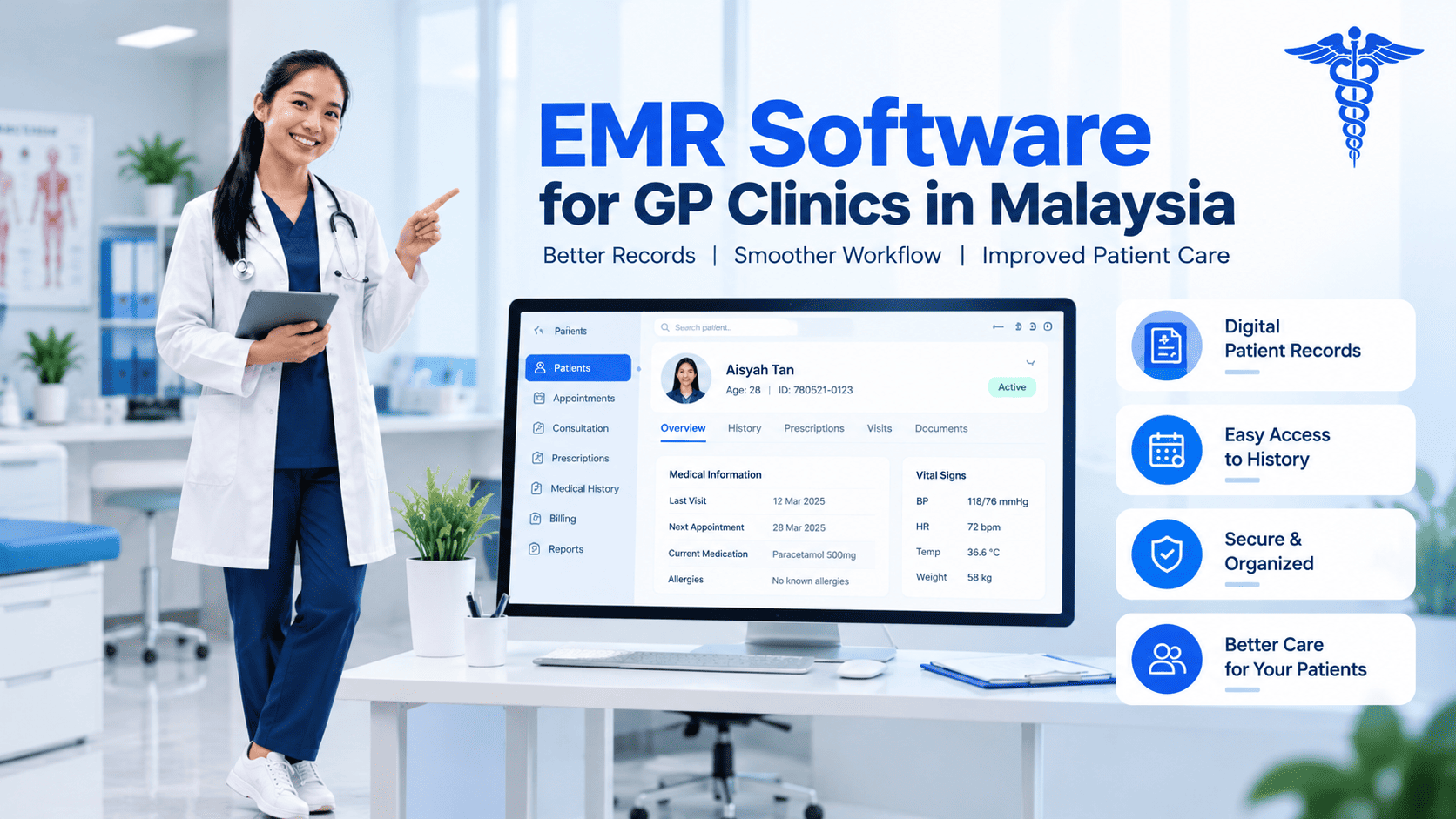
Electronic medical records software enables healthcare providers to maintain patient medical information in digital form.
Depending on the system, this may include:
- Patient demographics and registration details
- Consultation notes
- Medical history
- Diagnoses and treatment records
- Prescription information
- Follow-up information
- Relevant clinical documentation
EMR software is intended to help healthcare professionals record and retrieve information more systematically. Its capabilities vary, so clinics should verify whether a system supports their specific clinical workflows.
- Why Are Malaysian GP Clinics Moving Towards Digital Records?
1. Faster Access to Patient Information
Searching through paper files can take time, especially when a clinic handles a high volume of consultations.
A digital system can make it easier for authorized staff to retrieve patient information and review relevant records when needed.
2. More Consistent Documentation
A structured digital workflow can help clinics record consultation information in a more consistent format.
However, record quality still depends on staff training, appropriate documentation practices, and regular review.
3. Better Coordination Between Clinical and Administrative Teams
Patient care involves more than consultation notes. Registration, appointment scheduling, prescriptions, and billing also form part of the patient journey.
When these functions are connected, staff can coordinate their work more efficiently and reduce unnecessary duplication.
4. Improved Record Organization
Digital records can make it easier to organize, retrieve, and maintain patient information compared with relying entirely on physical files.
Clinics should assess how the system handles backups, user permissions, data export, and continuity of access.
Essential Features to Evaluate in EMR Software
Not every EMR platform offers the same functionality. Before choosing a solution, GP clinics should review the following areas.
Feature | Why it matters |
Patient registration | Helps maintain organized patient records |
Consultation documentation | Supports consistent clinical recordkeeping |
Medical history | Makes relevant previous information easier to retrieve |
Prescription records | Helps organize medication-related documentation |
Appointment integration | Connects patient visits with scheduling |
Billing integration | Links clinical workflows with administrative transactions |
User permissions | Helps restrict access according to staff responsibilities |
Reporting and backup | Supports record management and operational continuity |
Clinics should also consider usability. A system that is difficult for doctors and staff to use may create additional administrative work rather than reduce it.
EMR Software vs Paper-Based Medical Records
Paper records can work for small practices with relatively simple requirements, but maintaining them can become increasingly difficult as patient volumes grow.
Digital records can improve searchability, support centralized access, and make it easier to connect information with other clinic workflows.
However, digitization requires appropriate implementation, staff training, access controls, and reliable data management. Clinics should not assume that software alone guarantees complete records or regulatory compliance.
How to Choose the Right EMR System in Malaysia
Before committing to an EMR platform, consider these practical steps:
Understand your workflow. Identify how doctors record consultations, manage follow-ups, and access previous medical information.
Check integration capabilities. Determine whether the EMR works with appointments, billing, prescriptions, and other essential clinic functions.
Review data security. Ask about role-based permissions, backup processes, access management, and data handling arrangements.
Plan for migration. If you already have digital or spreadsheet-based patient records, ask how the information can be transferred and validated.
Request a live demonstration. Test common tasks using a representative clinic workflow.
Consider future needs. If you plan to expand your practice or operate multiple locations, evaluate whether the system can support that growth.
How Clinica ERP Fits into Digital Clinic Management
Clinica ERP offers electronic medical records alongside patient management, appointments, billing, and other clinic operations. Its website positions these capabilities within a centralized clinic management platform for Malaysian healthcare providers.
Clinica ERP
+1
For clinics considering EMR software, evaluating these connected workflows can help determine whether a platform meets both clinical documentation and administrative needs.
Explore the Clinica ERP website to review its available features and request a demonstration.
Conclusion
EMR software can help Malaysian GP clinics organize patient information, improve record accessibility, and connect clinical documentation with daily administrative processes.
Choosing the right solution requires evaluating usability, data management, integration, and the clinic’s actual needs.
For clinics planning to move towards digital records, a demonstration of the full patient workflow is a practical way to determine whether a system is suitable.
Looking to digitize your clinic’s records? Explore Clinica ERP and assess its EMR and clinic management capabilities.
- Frequent Asked Questions
What is the difference between EMR and clinic management software?
EMR software focuses on digital clinical records. Clinic management software generally covers a broader range of functions, potentially including appointments, billing, inventory, staff administration, and reporting.
Is EMR software suitable for a small GP clinic?
Yes. A small clinic can benefit from digital patient records if the system matches its workflow, budget, and data management requirements.
Can EMR software integrate with appointment scheduling?
Some clinic management platforms connect EMR with appointment management, allowing patient visits and clinical records to work together. Confirm the available integration before purchasing.
What should clinics check before migrating patient records?
Clinics should assess data formats, record completeness, migration procedures, access permissions, backups, and how the migrated information will be validated.
- Contact Us
Clinic management system for Malaysian GP clinics
Queue, EMR, billing, panel claims, inventory, payroll and LHDN e-Invoice in one cloud system. From RM49 per clinic per month, billed yearly.