


Multi-Branch Clinic Management Software in Malaysia
Multi-Branch Clinic Management Software in Malaysia: How to Manage Multiple Clinics Efficiently
Managing one clinic requires coordination between doctors, reception staff, billing, patient records, and inventory. When a healthcare business expands to multiple locations, these responsibilities become more complex.
Clinic owners may need to review revenue across branches, monitor outstanding panel claims, coordinate staff, and maintain consistent operating procedures.
If each branch relies on separate spreadsheets or disconnected systems, consolidating information can become time-consuming.
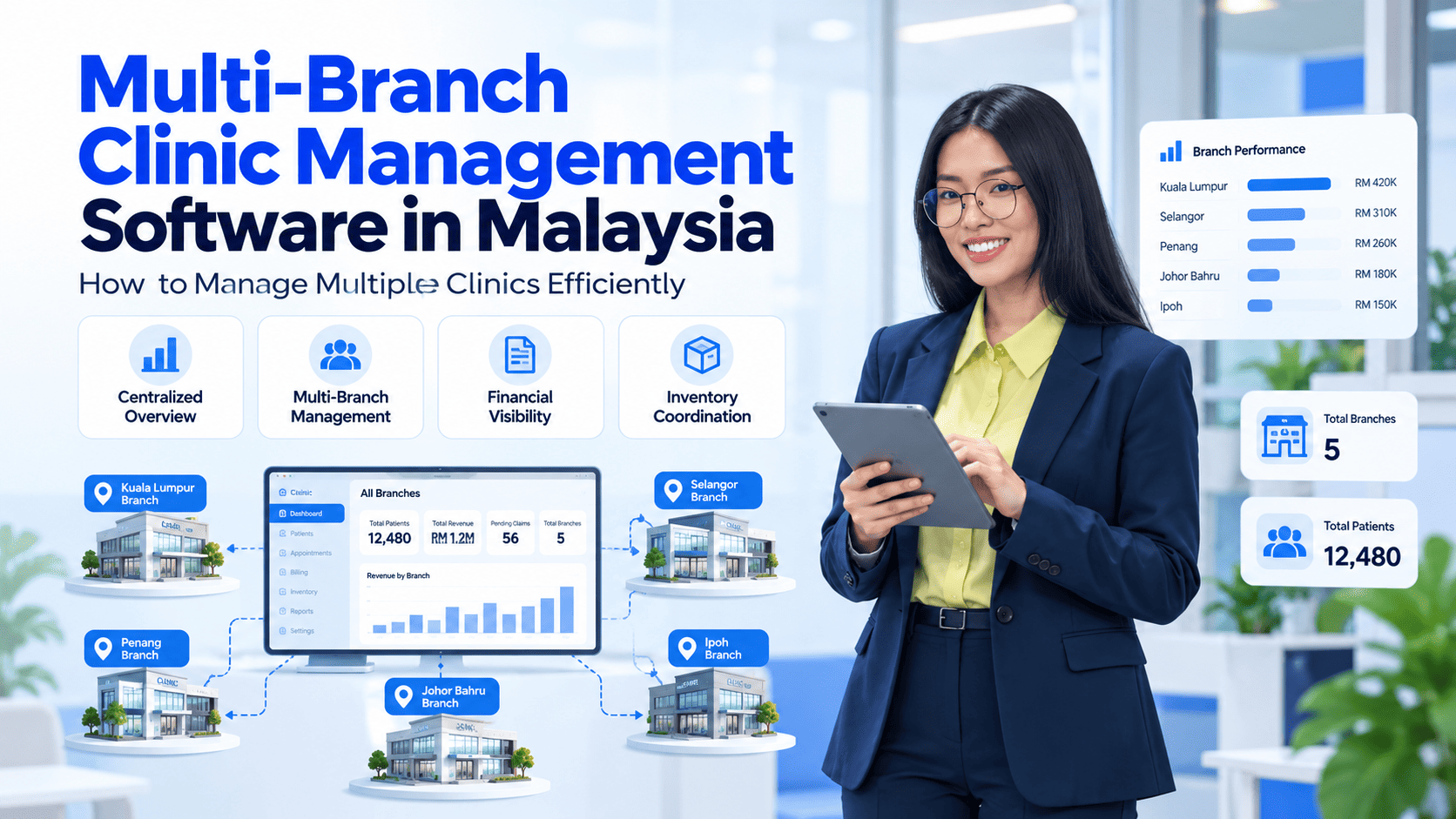
Multi-branch clinic management software helps healthcare groups centralize relevant operational information and gain better visibility across their locations.
In this guide, we explore the benefits of centralized clinic management, the features to evaluate, and how Malaysian healthcare groups can choose an appropriate system.
- What Is Multi-Branch Clinic Management Software?
Multi-branch clinic management software enables healthcare businesses to manage selected operations across more than one clinic through a connected platform.
Depending on the system, this may include:
- Centralized operational and financial reporting
- Patient management
- Appointments and consultations
- Billing and payment records
- Panel claims monitoring
- Inventory management
- Staff and payroll administration
- Branch-level reporting
The extent of centralization varies by platform. Before implementation, clinics should confirm how user permissions, branch-level records, reporting, and data access are handled.
- 5 Challenges of Managing Multiple Clinic Locations
1. Limited Visibility Across Branches
When every location maintains separate reports, owners may struggle to compare operational performance.
A centralized dashboard can help authorized users review available information across locations without manually combining multiple files.
2. Inconsistent Administrative Processes
Different branches may develop different approaches to registration, billing, and reporting.
A shared system can support more consistent workflows, although staff training and clear procedures remain essential.
3. Difficult Inventory Coordination
Healthcare groups need to understand stock availability, purchasing requirements, and supply usage across locations.
Where supported, branch-level inventory records and reporting can help management identify replenishment needs and review stock movement.
4. Complex Financial Monitoring
Multiple branches may generate separate billing records, panel claims, expenses, and payment transactions.
Consolidated reporting can help owners review performance and identify outstanding financial items more efficiently.
5. Staff and Access Management
Different employees require different levels of access to clinic information.
A multi-branch system should support appropriate permissions so staff can perform their responsibilities without receiving unnecessary access to other records.
Benefits of Centralized Clinic Management
A suitable multi-branch clinic system can provide several operational advantages.
Better management visibility: Review available financial and operational information from a central dashboard.
More consistent records: Maintain connected processes across locations, depending on system configuration.
Simplified reporting: Reduce the effort required to combine information from separate branches.
Improved coordination: Help management review appointments, inventory, billing, and other relevant operations.
Support for expansion: Establish a more organized foundation for adding locations as the healthcare business grows.
These benefits depend on how the system is implemented, the accuracy of the underlying data, and the consistency of staff workflows.
What Features Should a Multi-Branch Clinic System Include?
Requirement | What to evaluate |
Centralized dashboard | Can authorized users review information across branches? |
Branch-level reporting | Can each location’s performance be reviewed separately? |
Patient management | Can records be accessed appropriately across locations? |
Billing and claims | Can financial transactions and outstanding claims be monitored? |
Inventory | Does the system support the required branch-level stock workflows? |
Staff permissions | Can access be restricted by role and responsibility? |
Scalability | Can the platform accommodate additional locations? |
Data migration | Can existing records be transferred and validated? |
It is important to confirm the exact features and configuration required for your business rather than assuming every platform supports all multi-branch workflows.
How to Select the Right Software for Your Healthcare Group
Step 1: Map Your Existing Operations
Document how each branch currently manages patient records, billing, inventory, staff, and reporting.
Step 2: Identify Centralized Reporting Requirements
Determine which metrics management needs to review across all locations and which records should remain branch-specific.
Step 3: Review Access and Data Management
Check how the system handles role-based access, data backups, record ownership, and authorized information sharing.
Step 4: Evaluate Implementation and Training
Ask how existing records will be migrated, how staff will be trained, and what support is available during implementation.
Step 5: Request a Multi-Branch Demonstration
Ask the provider to demonstrate realistic scenarios, such as reviewing branch-level performance, checking outstanding claims, and comparing operational reports.
This helps ensure that the software supports the actual requirements of your healthcare business.
How Clinica ERP Supports Multi-Branch Clinic Operations
Clinica ERP’s website describes centralized management for multiple clinics, including access to operational and financial information through a connected platform. Its feature set includes patient management, reporting, panel claims tracking, inventory, and other clinic administration functions.
Clinica ERP
+1
For healthcare groups in Malaysia, the next step is to assess how these features fit their specific branch structure, reporting needs, and staff permissions.
Visit Clinica ERP to explore the platform and request a demonstration of its multi-branch capabilities.
Conclusion
Managing multiple clinic locations requires consistent records, clear reporting, and effective coordination between administrative teams.
Multi-branch clinic management software can help healthcare groups improve visibility across locations and organize key workflows through a connected platform.
The right choice depends on the group’s size, operational complexity, reporting needs, and future plans.
Planning to expand your clinic network? Explore Clinica ERP and request a demonstration to evaluate its suitability for your multi-branch operations.
- Frequent Asked Questions
What is multi-branch clinic management software?
It is software designed to help healthcare businesses manage selected operations across multiple clinic locations through a connected system.
Can clinic owners monitor different branches from one dashboard?
Some platforms provide centralized dashboards and consolidated reports. Clinics should confirm which metrics and branch-level details are available.
Is multi-branch software suitable for a clinic group with two locations?
It can be useful even for smaller clinic groups when centralized reporting, consistent workflows, or shared administration are important.
Can different branches have different user permissions?
Many systems support role-based access, but the available permission settings vary. Confirm whether access can be configured according to each branch's requirements.
What should a clinic group consider before switching systems?
Important factors include data migration, staff training, reporting, integrations, access controls, implementation support, and total operating costs.
- Contact Us
Clinic management system for Malaysian GP clinics
Queue, EMR, billing, panel claims, inventory, payroll and LHDN e-Invoice in one cloud system. From RM49 per clinic per month, billed yearly.